

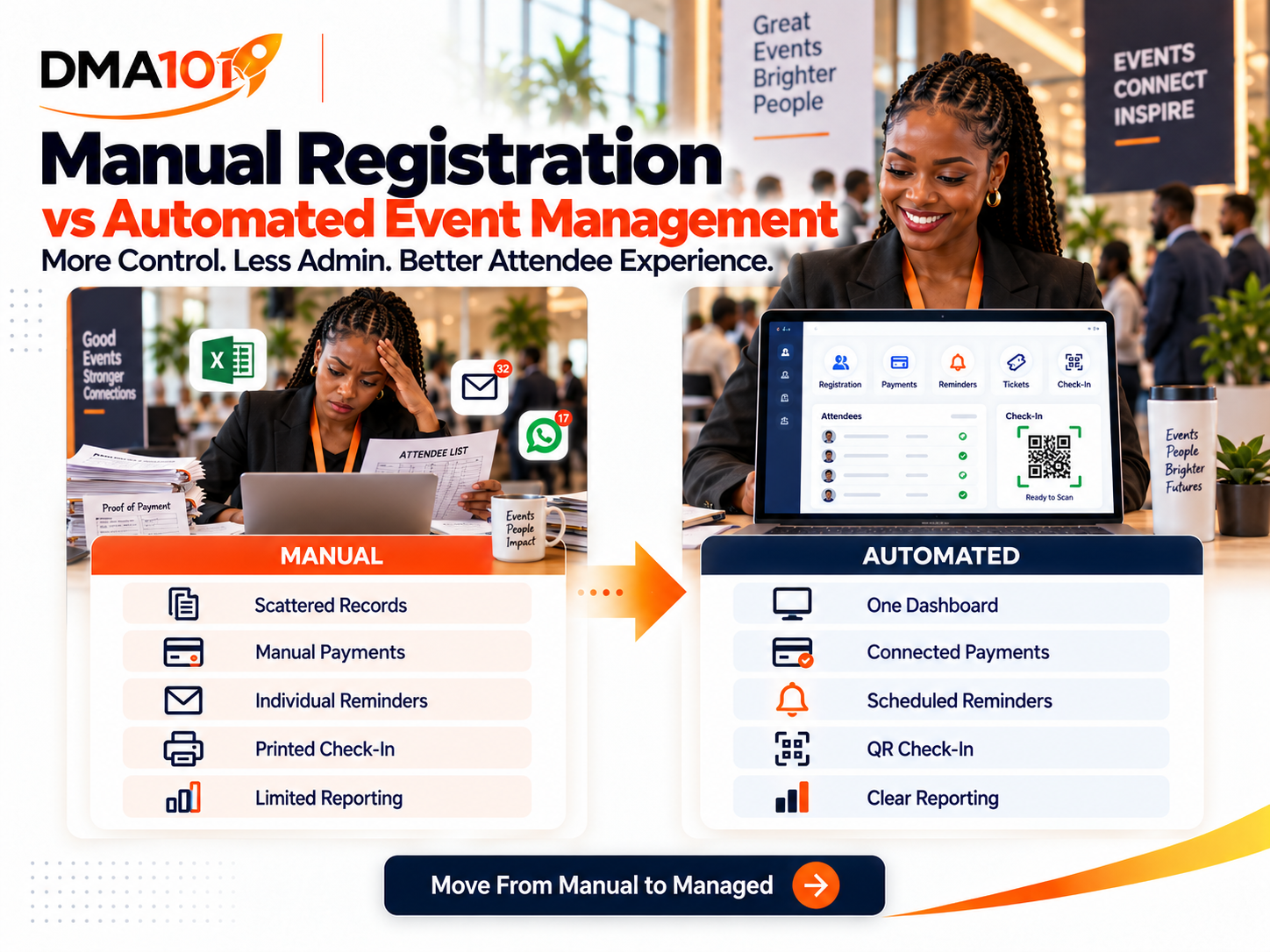
Many events begin with a simple spreadsheet.
The organiser creates a registration form, receives email notifications and manually adds each attendee to a list. Proofs of payment arrive through WhatsApp or email, while reminders are sent individually as the event approaches.
For a small event, this can seem manageable.
The problems begin when registrations increase, several ticket types are introduced or more than one team member becomes involved. Information spreads across forms, spreadsheets, messages, bank statements and printed lists.
An automated event management system brings these activities into one connected process.
But does every event need automation, and when does a manual process stop being practical?
Quick answer
An automated event management system connects registration, payments, ticketing, reminders, digital tickets, QR-code check-in, reporting and post-event follow-up in one place. A manual process can work for small, simple events, but as registrations, ticket types or team members increase, disconnected tools create delays, errors and lost information. The right choice depends on event complexity, not just event size.
Start by automating the areas creating the most repetitive work.
What Is Manual Event Registration?
Manual event registration uses separate tools and human administration to manage attendees.
A typical process may involve:
- 1A potential attendee completes an online form.
- 2The organiser receives an email notification.
- 3The attendee is added to a spreadsheet.
- 4Banking details are sent manually.
- 5Proof of payment is received through email or WhatsApp.
- 6Someone confirms the deposit.
- 7A confirmation message is sent.
- 8Event reminders are sent individually.
- 9A printed attendance list is prepared.
- 10Attendance is marked by hand.
This process can work when registration numbers are low and the event is simple. However, every manual step requires time and introduces another opportunity for delay or error.
What Is an Automated Event Management System?
An automated event management system connects the attendee journey from registration to follow-up.
Depending on the event, the system can manage:
Instead of moving information between different tools, the organiser manages the event from a central system.
Manual vs Automated Event Management at a Glance
| Area | Manual Process | Automated System |
|---|---|---|
| Registration | Information captured and transferred manually | Registrations stored automatically |
| Payments | Proofs matched to bank deposits | Payment status linked to registration |
| Tickets | Created or sent individually | Digital tickets issued automatically |
| Reminders | Sent manually | Scheduled around the event date |
| Attendee records | Stored in spreadsheets or messages | Managed from one central dashboard |
| Group bookings | Often recorded under one buyer | Individual details captured for attendees |
| Check-in | Printed lists and manual marking | QR-code scanning with manual backup |
| Capacity | Counted manually | Ticket quantities and limits controlled |
| Reporting | Compiled after the event | Registration and attendance data available centrally |
| Follow-up | Sent individually or in bulk | Personalised journeys can be automated |
When Manual Registration Can Still Work
Automation is not necessary for every gathering.
A manual process may be sufficient when:
- The event is very small
- Attendance is by invitation only
- No payment is required
- The organiser knows every attendee personally
- The event happens once
- No detailed reporting is needed
- There are very few registration changes
- Only one person manages the process
For example, a private meeting with 10 invited participants may not need a complete ticketing and check-in system. The mistake is assuming that a process that works for 10 people will work equally well for 100 or 1,000.
Where Manual Registration Starts to Fail
Manual registration becomes harder when complexity increases.
Warning signs include:
- Registrations are being missed
- Several spreadsheets are in use
- Attendee details are duplicated
- Proofs of payment cannot be matched
- Staff are answering the same questions repeatedly
- Ticket quantities are difficult to control
- Reminders are being sent late
- Different team members have different attendee lists
- Group bookings do not include individual names
- Long queues form at the entrance
- Attendance must be captured again after the event
- No one knows which marketing campaigns generated ticket sales
At this point, the problem is not that the team needs to work harder. The process needs better structure.
Registration and Attendee Information
Manual process
Attendee information may arrive through online forms, emails, WhatsApp or phone calls. Someone must transfer the details into a central spreadsheet. Spelling errors, missing information and duplicate records are common. If the buyer purchases tickets for several people, the organiser may only capture the buyer's information.
Automated system
The attendee enters their information directly into the registration process. For group bookings, each person can have an individual registration record containing their name, contact details and event-specific information. This improves ticket delivery, check-in, name-badge preparation, dietary planning and post-event communication.
Ticket Types and Capacity
Manual process
Ticket quantities are counted in a spreadsheet. As purchases arrive through different channels, the available balance must be adjusted manually. This can lead to overselling or tickets appearing unavailable when spaces remain.
Automated system
Each ticket type has a defined quantity and sales period. The system records purchases and updates availability. The organiser can also set an overall event capacity and registration deadline. This gives the team a clearer view of what is available.
Payment Management
Manual process
The organiser sends banking details and waits for proof of payment. Someone must then find the transaction, match it to the buyer, confirm the amount, update the spreadsheet, send confirmation and create or issue the ticket. Unclear payment references make this even more difficult.
Automated system
The attendee chooses a ticket and completes payment during checkout. The payment result is connected to the registration, allowing the organiser to see the relevant payment status alongside the attendee record. Refunds still require proper management, but the payment and registration information remains connected.
Confirmation Messages
Manual process
A staff member sends confirmations individually or uses a general bulk email. This takes time, and some attendees may wait hours or days before knowing whether their registration was accepted.
Automated system
The attendee receives confirmation immediately after completing the required registration or payment process. The message can include the event details, ticket type, digital ticket, QR code and contact information. Immediate confirmation improves trust and reduces unnecessary enquiries.
Event Reminders
Manual process
The organiser prepares a contact list and sends messages before the event. Late registrations may be excluded, cancelled attendees may continue receiving reminders and different ticket holders may receive irrelevant information.
Automated system
Messages can be timed according to the event date. The organiser can schedule communication immediately after registration, seven days before, three days before, one day before, on the event day and after the event. Different messages can be sent according to ticket type, registration status or attendance activity.
Check-In
Manual process
Staff search a printed list and mark names by hand. Last-minute registrations may be missing, names can be difficult to locate and several entrance teams may use different versions of the list.
Automated system
Each attendee receives an individual QR-code ticket. Staff scan the code to validate the ticket and record arrival. The system can identify a ticket that was previously used or issued for another event. If scanning fails, staff can search for the attendee and check them in manually.
Reporting
Manual process
After the event, staff count registrations and handwritten check-ins. Payment and attendance information may be stored separately. Creating a report requires several sources to be compared.
Automated system
The organiser can review information such as total registrations, tickets issued, ticket categories, payment status, refunded registrations, attendance, no-shows, event revenue, registration dates and attendee details. This supports better decisions for future events.
Post-Event Follow-Up
Manual process
The organiser exports email addresses, prepares a message and sends it to everyone. Attendees and no-shows often receive the same communication.
Automated system
Follow-up can respond to what happened. People who checked in can receive a thank-you message, feedback survey, event resources or a relevant offer. Registered no-shows can receive a recording, summary or invitation to another event. This makes communication more relevant.
The Hidden Cost of Manual Administration
A manual system may appear cheaper because there is no visible technology cost.
However, the real cost includes:
The more successful the event becomes, the more administration the manual process creates. Automation does not remove the organiser. It removes repetitive work that does not need to be performed by hand.
Automation Still Needs Human Oversight
An automated system is not a substitute for planning.
The organiser still needs to:
- Set ticket prices
- Write clear event information
- Create fair refund terms
- Test the registration journey
- Monitor registrations
- Respond to complex enquiries
- Train check-in staff
- Handle exceptions
- Protect attendee information
- Review event results
Automation improves execution, but people remain responsible for the event strategy and attendee experience.
Is Automation Only for Large Events?
No. A smaller event can benefit from automation when it includes:
A paid workshop with 30 attendees may need more structure than a free event with 100 attendees. Complexity matters as much as size.
Questions to Help You Decide
Ask the following:
- How many registrations do we expect?
- Is the event free or paid?
- Do we offer several ticket types?
- Do we accept group registrations?
- How many reminders must be sent?
- Do we need QR-code tickets?
- Will several team members manage the event?
- Do we need accurate check-in records?
- Will we follow up after the event?
- Do we need to track event revenue?
- Will the event happen again?
- How much time is currently spent on administration?
If several answers point toward increased complexity, an automated system is likely the stronger option.
A Practical Transition From Manual to Automated
You do not need to automate everything at once. Start with the areas creating the most work.
Step 1: Centralise registration
Move attendee information into one registration system.
Step 2: Connect payments
Link ticket purchases to attendee records.
Step 3: Automate confirmations
Send immediate confirmation after registration.
Step 4: Schedule reminders
Build a communication sequence around the event date.
Step 5: Introduce digital tickets
Issue individual tickets with QR codes.
Step 6: Improve check-in
Use mobile scanning with a manual backup.
Step 7: Add post-event follow-up
Separate attendees from no-shows and send relevant communication.
This creates a manageable transition without overwhelming the organising team.
Manual vs Automated Event Checklist
Consider automation if you currently:
- Capture registrations in spreadsheets
- Receive proofs of payment through messaging apps
- Create tickets individually
- Send confirmations manually
- Send reminders from personal phones
- Use printed check-in lists
- Struggle with group-attendee information
- Have difficulty tracking cancellations
- Re-enter attendance after the event
- Cannot easily compare registrations and check-ins
- Lose contact with attendees after the event
These are signs that the event has outgrown a disconnected process.
Move From Manual to Managed With DMA101
DMA101 can build an Event Management System that connects your event page, registration, ticketing, payments, attendee information, automated reminders, QR-code check-in, reporting and post-event follow-up.
The system can be configured for conferences, training programmes, church events, workshops, fundraisers, product launches, networking sessions and corporate events.
You keep control of the event. The system handles the repetitive processes that slow your team down.
Less administration. Clearer information. A better attendee experience.
Build Your Event Management System With DMA101
Stop managing events across spreadsheets, messages and printed lists. We will set up your complete events system so registration, payments, reminders, check-in and follow-up all run from one connected platform.
Start the Fit Check
Written by Digital Marketing Agency 101
Founder & Digital Growth Strategist at DMA101. Helping ambitious businesses build complete digital growth systems that convert.
Read more about our methodology →Have thoughts on this?
We'd love to hear your perspective. Join the conversation on LinkedIn or reach out directly.
Keep Reading
What Information Should You Collect on an Event Registration Form?
Learn exactly what information to collect on an event registration form, from essential contact details to dietary, accessibility and consent fields, without overwhelming attendees.
Read Article Events ManagementHow to Follow Up With Attendees After an Event
Learn how to follow up with attendees after an event, send thank-you messages, collect feedback, share resources and nurture leads with one connected system.
Read ArticleHow We Can Help
Basic Website Design (1-5 Pages)
Perfect for local businesses needing a clear, professional online presence. Includes home, about, services, and contact pages.
Explore ServicePremium Website Design (5-10 Pages)
Ideal for growing businesses. Includes advanced layouts, lead capture forms, service detail pages, and basic SEO.
Explore ServiceCorporate Website Design (10-25 Pages)
Comprehensive site for established companies. Includes custom integrations, advanced SEO, team directories, and resource centers.
Explore ServiceGet Growth Strategies in Your Inbox
Join other ambitious business owners receiving our best insights on websites, automation, and lead generation.
We respect your privacy. Unsubscribe at any time.
Ready to implement these strategies?
Partner with DMA101 to elevate your brand and build a premium digital presence.
Start the 60-Second Fit Check