

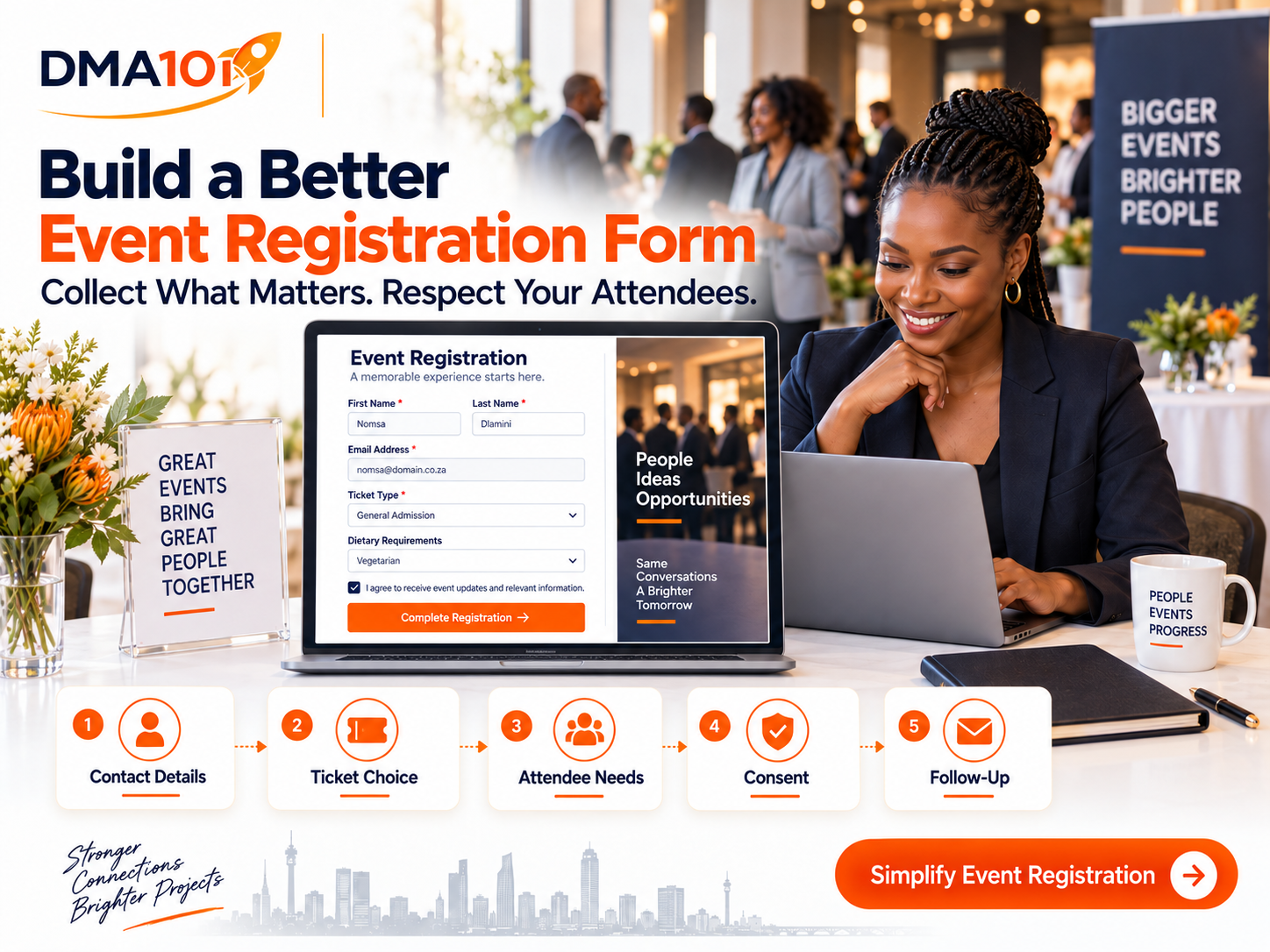
Your event registration form is one of the first direct experiences someone has with your event.
If the form is simple, clear and easy to complete, registration feels professional. If it is confusing, intrusive or unnecessarily long, potential attendees may leave before submitting their details.
The goal is to collect enough information to manage the event properly without asking people to complete a lengthy questionnaire.
Every field should have a clear purpose.
Quick answer
An effective event registration form collects essential contact details (first name, surname, email and, when needed, a mobile number), the chosen ticket or attendance option, and any event-specific information such as dietary requirements, accessibility needs, session preferences or business details. Every question should serve a clear purpose, marketing permission should be separate from event communication, and the form should be tested on a mobile phone before it goes live.
If you do not need the information, do not ask for it.
Why Your Registration Form Matters
An event registration form does more than collect names and email addresses.
It can help your team:
The information you request should match the type of event you are organising.
A small community workshop will not need the same information as a corporate conference, university open day or paid training programme.
Start With Essential Contact Information
Most registration forms need a small set of basic contact details.
Full Name
Ask for the attendee's first name and surname.
Separating these into individual fields makes it easier to personalise confirmation messages, create name badges and organise attendance lists.
Email Address
An email address is usually required for:
Make sure attendees understand that operational event messages are connected to their registration.
Mobile Number
A mobile number can be helpful for urgent notifications, SMS reminders or WhatsApp communication.
However, do not make it compulsory unless you genuinely need it. Explain how the number will be used and distinguish necessary event communication from optional marketing.
Ask for the Right Ticket or Registration Option
If your event has different attendance options, make them easy to understand.
These might include:
Each option should clearly explain what is included, the cost and any relevant restrictions.
If the attendee selects a paid ticket, the system should guide them through the appropriate payment and confirmation process.
Collect Organisation and Job Information When Relevant
Business events may benefit from asking for:
This information can help you understand your audience, prepare relevant content and identify useful networking opportunities.
Do not collect business information simply because other registration forms do. A church event, school function or community programme may not need it at all.
Ask About Sessions and Areas of Interest
For conferences, training programmes and multi-session events, allow attendees to choose the sessions they want to join.
This helps your team:
You can also ask one brief question about the attendee's interests or goals.
For example:
"What would you most like to learn at this event?"
Provide a few clear options and include an "Other" field when necessary.
Collect Dietary Requirements Carefully
If food will be served, ask about dietary requirements.
Common options may include:
Avoid collecting this information when no catering will be provided.
Give attendees a space to explain serious allergies, but make it clear that the organiser or catering team may need to contact them for further details.
Ask About Accessibility and Support Needs
Your registration form should give attendees an opportunity to request reasonable support.
You might ask:
"Do you have any accessibility or support requirements we should be aware of?"
Examples may include:
Keep the wording respectful and focus on what support the person needs rather than requesting unnecessary medical details.
Someone from your team can contact the attendee privately if more information is required.
Include Emergency Contact Details Only When Necessary
Emergency contact information may be appropriate for:
A standard business seminar probably does not need an emergency contact.
If you collect this information, explain why it is required and protect it appropriately.
Handle Children's Information With Extra Care
Events involving children may need information about:
Avoid combining every permission into one broad checkbox.
For example, permission to attend, permission to receive marketing and permission to use photographs should be treated as separate decisions.
Because children's personal information requires additional care, organisers should obtain appropriate legal guidance when designing registration and consent processes for minors.
Use Conditional Questions
Not every attendee needs to answer every question.
Conditional fields allow the form to display questions based on earlier answers.
For example:
This keeps the main registration form shorter and more relevant.
Clearly Separate Registration From Marketing Permission
Registering for an event does not automatically mean that someone wants to receive unrelated promotional messages indefinitely.
Use separate, clearly worded options where additional permission is needed.
For example:
Event communication:
"I understand that DMA101 will send me information required for this event."
Optional future communication:
"I would like to receive information about future events, resources and relevant services."
Avoid preselecting optional marketing boxes. People should understand what they are agreeing to and be able to make a clear choice.
South Africa's POPIA establishes minimum requirements for processing personal information. Event organisers should collect information for a defined purpose, explain how it will be used and avoid requesting more than is reasonably needed. Rules for unsolicited electronic direct marketing also need to be considered when planning promotional follow-up.
Include a Link to Your Privacy Notice
Your form should link to a clear privacy notice.
The notice should explain:
The registration form does not need to contain the complete notice, but the link should be easy to find.
Only Make Essential Fields Compulsory
Too many required fields can make registration feel demanding.
A field should be compulsory only when the event cannot be managed properly without that information.
For many events, the essential fields may simply be:
Mobile numbers, company details, job titles and marketing preferences may be optional, depending on the event.
Information You Should Usually Avoid Requesting
Unless there is a valid and clearly explained reason, avoid asking for:
Collecting more information creates more responsibility for your organisation. If you do not need the information, do not ask for it.
Create a Clear Confirmation Process
After someone submits the form, they should immediately know whether registration was successful.
The confirmation page and message should include:
If approval is still required, say so clearly. Do not issue wording that suggests the booking is confirmed when the person is still on a waiting list.
Test the Form on a Mobile Phone
Many South Africans will register using a mobile phone.
Before publishing your form, check:
A form that looks good on a computer can still be frustrating on a smaller screen.
A Recommended Registration Form Structure
Section 1: Basic Details
Section 2: Attendance Information
Section 3: Attendee Needs
Section 4: Business Information
Section 5: Permissions
Section 6: Confirmation
Registration Form Checklist
Before publishing your event registration form, check that:
Collect Better Information Without Creating More Work
A good registration form gives your team the information it needs while respecting the attendee's time and privacy.
The DMA101 Event Management System helps you create online registration forms, organise attendee information, manage ticket options and trigger confirmations and reminders from one connected system.
Your team gets clearer information. Your attendees get a smoother registration experience.
Simplify your next event with DMA101.
DMA101 is a digital marketing agency based in Kimberley, Northern Cape, South Africa. We serve businesses, professional practices and event organisers across Sol Plaatje, the Northern Cape and beyond.

Written by Digital Marketing Agency 101
Founder & Digital Growth Strategist at DMA101. Helping ambitious businesses build complete digital growth systems that convert.
Read more about our methodology →Have thoughts on this?
We'd love to hear your perspective. Join the conversation on LinkedIn or reach out directly.
Keep Reading
How to Follow Up With Attendees After an Event
Learn how to follow up with attendees after an event, send thank-you messages, collect feedback, share resources and nurture leads with one connected system.
Read Article Events ManagementComplete Event Planning Checklist for South Africa
Use this practical event planning checklist to manage your South African event from strategy, budgeting and registration to operations and follow-up.
Read ArticleHow We Can Help
Basic Website Design (1-5 Pages)
Perfect for local businesses needing a clear, professional online presence. Includes home, about, services, and contact pages.
Explore ServicePremium Website Design (5-10 Pages)
Ideal for growing businesses. Includes advanced layouts, lead capture forms, service detail pages, and basic SEO.
Explore ServiceCorporate Website Design (10-25 Pages)
Comprehensive site for established companies. Includes custom integrations, advanced SEO, team directories, and resource centers.
Explore ServiceGet Growth Strategies in Your Inbox
Join other ambitious business owners receiving our best insights on websites, automation, and lead generation.
We respect your privacy. Unsubscribe at any time.
Ready to implement these strategies?
Partner with DMA101 to elevate your brand and build a premium digital presence.
Start the 60-Second Fit Check