

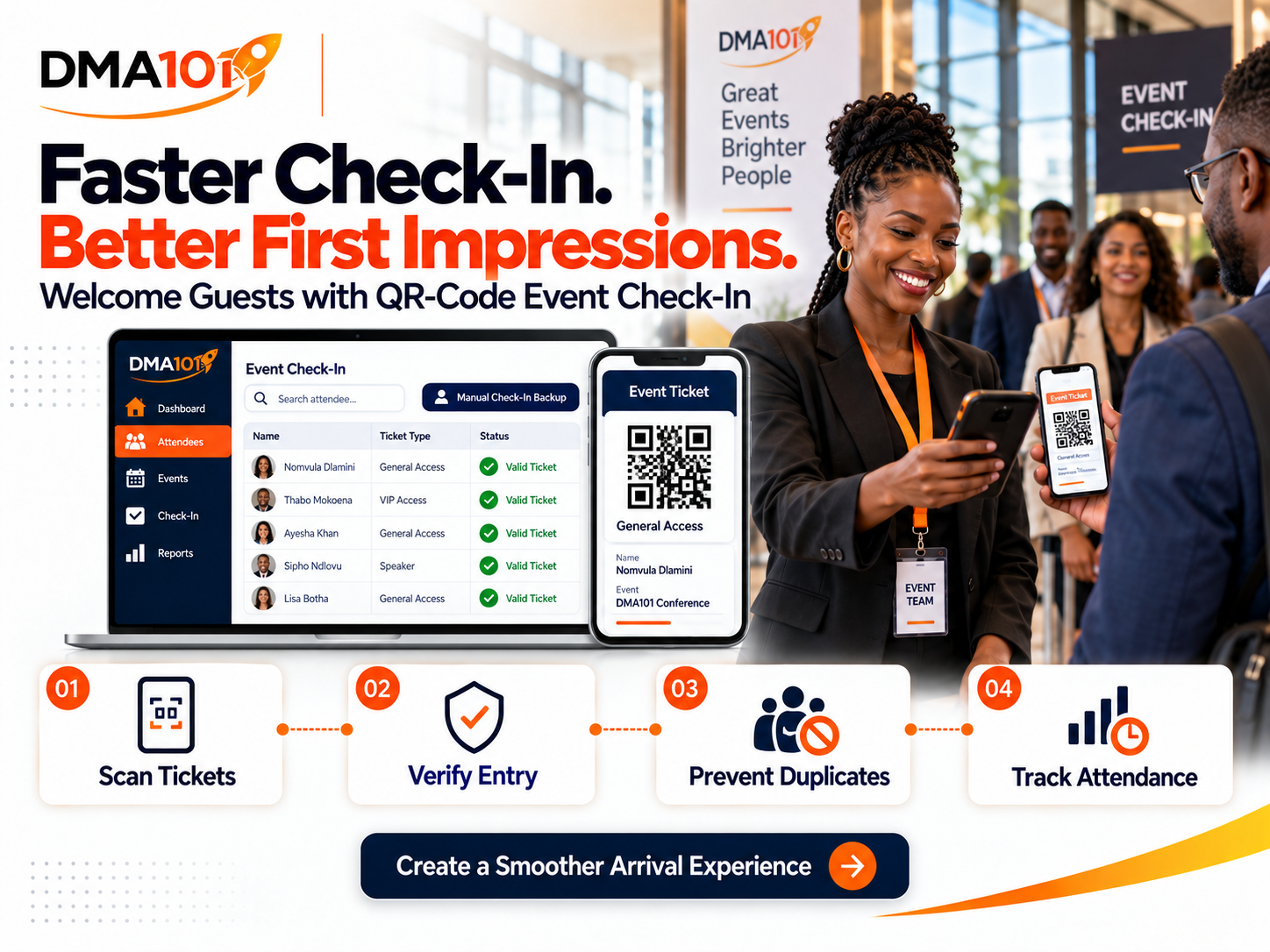
The entrance sets the tone for an event.
Guests may have travelled, arranged transport, taken time away from work or paid for a ticket. When they arrive, they expect the process to feel organised.
Long queues, printed attendee lists and missing registration information can create frustration before the event even begins.
QR-code event check-in gives organisers a faster way to confirm registrations and record attendance. Guests present a digital ticket, staff scan it using a mobile device and the attendee is marked as checked in.
The process is simple for guests, but it also gives organisers more accurate information and better control at the entrance.
Quick answer
QR-code event check-in lets staff scan a digital ticket at the venue to instantly verify a registration, confirm payment status, prevent duplicate entry and record attendance in real time. It replaces printed lists, reduces queues and gives organisers accurate data on who actually arrived.
A manual check-in backup should always be available in case a code won't scan.
What Is QR-Code Event Check-In?
QR-code event check-in is a digital process used to verify registered attendees when they arrive at an in-person event.
After registering or purchasing a ticket, each attendee receives an individual QR code. This code is linked to their event registration.
At the venue, a staff member opens the event check-in system on a mobile device and scans the code.
The system then confirms whether:
- The ticket is valid
- The ticket belongs to the correct event
- The attendee meets the required payment status
- The ticket has already been used
- The person can be checked in
Once accepted, the attendee's status changes from registered to checked in.
What Information Is Connected to the QR Code?
The QR code acts as a quick link to the attendee's registration.
Depending on the event setup, that registration may contain:
The attendee doesn't need to explain which ticket they purchased or wait while staff search through several lists. The scanner retrieves the relevant registration record and helps staff process the person quickly.
The Check-In Journey
A well-designed QR-code check-in process follows a simple journey.
1. The attendee registers
The person completes an RSVP or purchases a ticket through the event registration page.
2. An individual ticket is created
The attendee receives a digital event ticket containing a unique QR code. For group purchases, each attendee should have their own registration record and individual ticket.
3. The attendee receives confirmation
The confirmation message contains the ticket and essential event information. The organiser can resend the ticket in reminder messages before the event.
4. The attendee arrives
The guest opens the ticket on a mobile phone or presents a printed copy.
5. Event staff scan the QR code
A staff member uses a mobile device to scan the code.
6. The system validates the ticket
The system checks whether the ticket is valid and whether it has already been used.
7. The attendee is checked in
The registration record is updated immediately to show that the guest has arrived.
Why QR Check-In Is Better Than Printed Lists
Printed lists can work for very small events, but they become difficult to manage as registrations increase.
Common problems include:
- Names listed in the wrong order
- Duplicate registrations
- Last-minute registrations missing from the printout
- Staff using different versions of the list
- Difficulty finding names
- Handwriting that can't be read later
- No immediate attendance total
- No connection to payment status
- Delays when guests arrive at the same time
- Attendance records that must be captured again after the event
A digital check-in system gives the team access to a central, current attendee list. When a ticket is scanned, the attendance record is updated automatically.
Faster Entry and Shorter Queues
Event arrivals often happen in waves.
A conference may receive most of its guests within 30 minutes. A church conference, product launch or business networking event may have many people arriving shortly before the programme begins.
Even a small delay per guest can create a long queue.
QR-code scanning reduces the time spent searching for names and checking registration information manually. Guests can prepare their tickets before reaching the desk, allowing staff to scan, confirm and welcome them quickly.
Better Protection Against Duplicate Tickets
Digital tickets can be forwarded, copied or screenshotted.
A QR check-in system helps identify when the same ticket is presented more than once. After the first successful scan, the ticket is marked as used. If someone presents it again, staff can see that the attendee has already been checked in.
The system should also identify when a ticket belongs to another event.
This doesn't replace trained entrance staff or proper event security, but it gives the team better information for making entry decisions.
Payment Status Can Be Checked Before Entry
For ticketed events, organisers may decide that only registrations with an approved payment status can be checked in.
This helps prevent uncertainty at the entrance. Staff don't need to search through bank statements or ask the finance team whether payment was received. The registration record shows the relevant status.
Organisers should decide before the event how to handle:
The entrance team must understand these rules before guests arrive.
Every Attendee Needs an Individual Ticket
Group bookings require careful setup.
One person may purchase five tickets for colleagues. If only the buyer receives a registration record, the organiser won't know which individuals arrived.
An effective system collects information for every attendee and creates an individual ticket for each person.
This improves:
The primary buyer may receive an order summary, while each attendee receives a ticket linked to their own details.
Digital Wallet Tickets
Attendees may be able to save eligible in-person event tickets to a supported mobile wallet.
The wallet pass can display:
This makes the ticket easier to find on event day. Instead of searching through emails at the entrance, the attendee can open the saved pass and present the QR code.
Each person in a multi-ticket order should receive an individual wallet link and ticket.
What Happens If the QR Code Doesn't Scan?
A professional check-in plan must include a backup.
A QR code may fail to scan because:
- The phone screen is damaged
- The screen brightness is too low
- The ticket image is blurred
- The attendee opened the wrong code
- The device camera has a problem
- The venue has poor connectivity
- The ticket wasn't issued correctly
- The attendee can't find the ticket
Staff should be able to search the attendee list and check the person in manually. The guest's identity and registration information should be verified before completing the manual check-in.
A technical problem shouldn't automatically prevent a legitimate attendee from entering.
Manual Check-In Is an Essential Backup
Manual check-in allows staff to locate an attendee by name, email address or other registration information.
It can also be used for:
The manual process should update the same central attendance record as QR scanning. This prevents the organiser from having separate digital and handwritten attendance lists.
QR Check-In Is Designed for In-Person Events
QR-code arrival check-in is mainly intended for physical venues.
Online events generally use a different attendance process. Participants receive access instructions and join through the relevant online event link.
Organisers shouldn't assume that an in-person ticket-scanning process will automatically track online participation. If online attendance data is important, the virtual event setup must be planned separately.
Preparing the Venue for Digital Check-In
Before event day, inspect the entrance and decide how guests will move through it.
Consider:
- Where queues will form
- How many check-in stations are required
- Whether separate queues are needed
- Where walk-in guests will be assisted
- Whether VIP guests use a different entrance
- Whether the venue has reliable mobile data or Wi-Fi
- Where staff can charge devices
- How guests with accessibility needs will be assisted
- Who will manage payment or registration problems
- How security staff will respond to invalid tickets
The technology works best when it's supported by a clear physical process.
How Many Check-In Staff Do You Need?
The answer depends on:
If most guests are expected within a short period, prepare more check-in points than you would need for a gradual arrival. Don't calculate staffing according to total attendance alone. Consider how quickly people will arrive.
Separate Exceptions From the Main Queue
One complicated registration can delay everyone behind it.
Create a separate assistance point for:
The main check-in queue should continue moving while another team member resolves the exception. This small operational decision can significantly improve the arrival experience.
Send Tickets Before Event Day
Don't expect attendees to search for an old confirmation email at the entrance. Resend the digital ticket or QR code in the final reminder.
"We're looking forward to welcoming you today. Please have the QR-code ticket below ready when you arrive."
Also ask attendees to:
- Increase their screen brightness
- Open the ticket before reaching the scanner
- Download or save the ticket if connectivity may be limited
- Have identification available if required
- Avoid sharing their ticket
Clear instructions help the queue move faster.
Train the Check-In Team
Staff should know more than how to point a camera at a QR code.
They need to understand:
- How to open the correct event
- How to scan a ticket
- What a successful check-in looks like
- What happens when a ticket was already used
- What an invalid-event message means
- How to complete a manual check-in
- How to view attendee information
- Which payment statuses allow entry
- Who can approve exceptions
- How to assist guests respectfully
Run a short practical exercise before the doors open. Test valid tickets, previously used tickets, invalid tickets and manual searches.
Protect Attendee Information
Check-in staff may have access to personal attendee information.
Only authorised team members should have access to the system, and staff should only view the information needed to perform their duties. Avoid displaying sensitive attendee details where other guests can see them.
Devices used for check-in should be protected and supervised throughout the event. Organisers should also follow their privacy responsibilities when collecting, storing and using attendee information.
Use Check-In Data After the Event
A registration tells you who intended to attend. A check-in tells you who actually arrived. This distinction is valuable.
After the event, organisers can compare:
This information can improve venue planning, catering, staffing and communication for future events.
Trigger Better Follow-Up
Check-in information can also guide post-event communication.
Attendees who checked in can receive:
Registered no-shows may receive:
This creates a more relevant experience than sending one message to everyone.
QR-Code Check-In Checklist
Before opening the doors, confirm that:
- Every attendee has an individual registration
- Tickets contain working QR codes
- Final reminder messages have been sent
- The event appears correctly on check-in devices
- Staff are signed into the correct event
- Payment-entry rules have been confirmed
- Duplicate-ticket detection has been tested
- Manual attendee search works
- Staff understand the backup process
- Mobile devices are fully charged
- Charging equipment is available
- Venue connectivity has been tested
- A separate assistance point is ready
- Walk-in procedures have been agreed upon
- Security and entrance staff understand their roles
A smooth check-in process is built before the first guest arrives.
Create a Better Arrival Experience With DMA101
Your guests shouldn't begin the event by waiting in a disorganised queue.
DMA101 can build an Event Management System that connects online registration, ticketing, payments, attendee information, automated reminders, QR-code tickets, mobile check-in and post-event follow-up.
Your team gets a central attendee record, while guests receive a faster and more professional arrival experience.
Welcome guests quickly. Verify tickets accurately. Track attendance properly.
Build Your Event Check-In System With DMA101
Stop managing arrivals with printed lists and guesswork. We will set up your complete events system so guests are welcomed quickly, tickets are verified accurately and attendance is tracked from the moment they walk in.
Start the Fit Check
Written by Digital Marketing Agency 101
Founder & Digital Growth Strategist at DMA101. Helping ambitious businesses build complete digital growth systems that convert.
Read more about our methodology →Have thoughts on this?
We'd love to hear your perspective. Join the conversation on LinkedIn or reach out directly.
Keep Reading
What Information Should You Collect on an Event Registration Form?
Learn exactly what information to collect on an event registration form, from essential contact details to dietary, accessibility and consent fields, without overwhelming attendees.
Read Article Events ManagementHow to Follow Up With Attendees After an Event
Learn how to follow up with attendees after an event, send thank-you messages, collect feedback, share resources and nurture leads with one connected system.
Read ArticleHow We Can Help
Basic Website Design (1-5 Pages)
Perfect for local businesses needing a clear, professional online presence. Includes home, about, services, and contact pages.
Explore ServicePremium Website Design (5-10 Pages)
Ideal for growing businesses. Includes advanced layouts, lead capture forms, service detail pages, and basic SEO.
Explore ServiceCorporate Website Design (10-25 Pages)
Comprehensive site for established companies. Includes custom integrations, advanced SEO, team directories, and resource centers.
Explore ServiceGet Growth Strategies in Your Inbox
Join other ambitious business owners receiving our best insights on websites, automation, and lead generation.
We respect your privacy. Unsubscribe at any time.
Ready to implement these strategies?
Partner with DMA101 to elevate your brand and build a premium digital presence.
Start the 60-Second Fit Check