

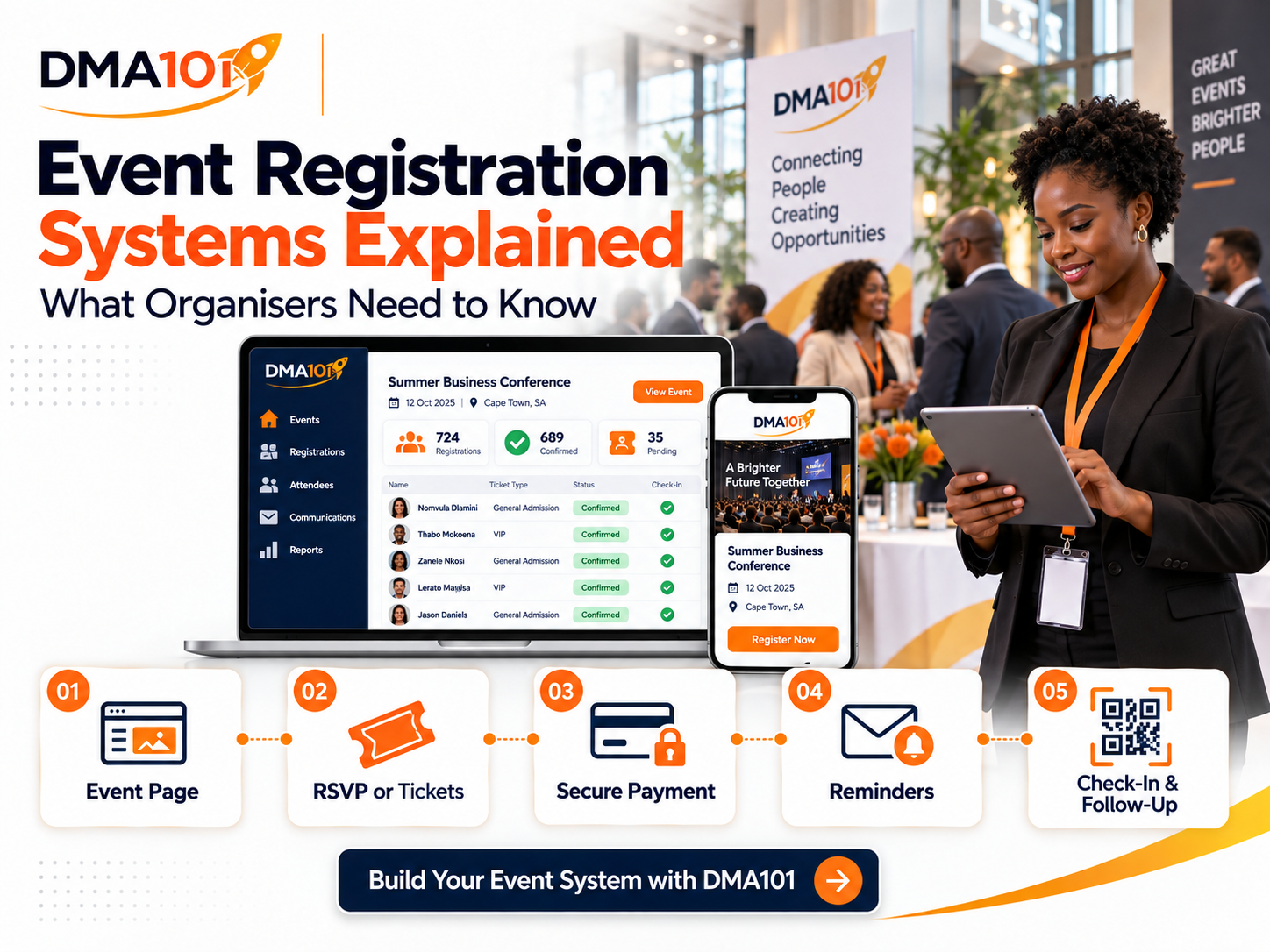
A successful event begins long before guests arrive at the venue.
It starts when someone discovers the event, visits the registration page and decides whether the experience looks professional enough to trust.
If the registration process is confusing, slow or disconnected, potential attendees may leave without completing it. If the organiser relies on spreadsheets, WhatsApp messages and manual payment confirmations, registrations can quickly become difficult to manage.
An event registration system brings these activities into one connected process. It helps organisers collect attendee information, manage ticket availability, receive payments, send reminders, check guests in and follow up after the event.
This guide explains how an event registration system works, which features matter and what organisers should consider before choosing one.
Quick answer
An event registration system is a digital platform that manages how people register for an event, from the public event page and ticket selection through to payment, confirmation, reminders, check-in and post-event follow-up.
No single feature guarantees a successful event. Results depend on how consistently the complete system is configured and managed.
What Is an Event Registration System?
An event registration system is a digital platform that manages how people register for an event.
It creates a central place where attendees can:
- View event information
- Confirm their attendance
- Select a ticket
- Enter their details
- Make a payment when required
- Receive confirmation
- Access their digital ticket
- Receive reminders and updates
The organiser can use the same system to monitor registrations, ticket sales, attendee information, payments and attendance.
This is far more reliable than trying to combine information from emails, online forms, bank statements, spreadsheets and social media messages.
What Types of Events Can Use a Registration System?
An event registration system can be adapted for many different events.
These include:
The right setup depends on whether the event is free or paid, in person or online, once-off or recurring.
The Three Main Registration Models
Not every event should use the same registration process. Organisers need to choose a model that fits the way people will attend.
1. RSVP registration
RSVP registration is designed for free events where guests only need to confirm their attendance. It works well for church gatherings, networking meetings, school events, open days, community programmes and internal company functions.
The organiser can still collect contact information, limit capacity, send confirmations and track attendance. A free event should never be treated as if attendee information doesn't matter. Knowing who plans to attend helps with catering, seating, security, communication and venue preparation.
2. Ticketed registration
Ticketed registration is used when attendees must select or purchase a ticket. An organiser can offer different ticket categories, such as general admission, VIP admission, early-bird tickets, student tickets, sponsored tickets, free promotional tickets and group tickets.
Each ticket type can have its own price, quantity and sales period. Free and paid ticket options may also be offered within the same event. For example, a conference could provide free entry to invited speakers while selling general and VIP tickets to the public.
3. Class and session bookings
Class registration is better suited to recurring workshops, courses, training sessions or group appointments. The organiser can create specific dates and times, set the number of available seats and allow participants to choose a suitable session.
This model is useful when one facilitator presents the same programme to different groups over several dates.
What Should an Event Registration System Include?
A registration system should support the complete attendee journey, not only the initial sign-up.
A professional event page
The event page should clearly explain what the event is, who it's for and why people should attend. It should include:
The design should match the organiser's brand and work properly on mobile phones.
Custom registration forms
Different events require different information. A basic event may only need the attendee's name, email address and mobile number. A conference may also need company details, dietary requirements, accessibility information or workshop selections.
Custom fields allow the organiser to collect the information needed for the event without using separate forms. The registration form should remain as short as possible. Every unnecessary question increases the chance that someone will abandon the process.
Ticket quantities and capacity control
The organiser should be able to control how many people can register. Capacity may be controlled through:
- The total number of registrations
- The number of tickets within each category
- The number of seats available for a specific session
- The registration closing date
- The ticket sales closing date
This prevents overselling and gives the organiser a current view of remaining availability.
Online payment processing
For paid events, attendees should be able to register and pay through one connected process. The organiser should be able to see:
- The attendee's information
- The selected ticket
- The amount charged
- The payment status
- Refunded transactions
- Total event revenue
When registration and payment records are connected, staff don't need to match bank deposits with names manually.
Discount codes
Discount codes can support different promotional strategies. They may be used for:
Organisers should be able to control when a code is active, which tickets it applies to and how many times it can be used.
Group registration
When one person purchases several tickets, the system should collect information for every attendee. This is especially important for company teams, conference groups and training bookings.
Each participant should have an individual registration record, even when one buyer pays for the entire group. This allows the organiser to manage name badges, dietary requirements, session preferences, communication and check-in more accurately.
Confirmation messages
Every attendee should receive confirmation immediately after registering. The confirmation should include:
Confirmation messages build trust and reduce unnecessary enquiries.
Automated reminders
People often register weeks or months before an event. Without reminders, they may forget the date or fail to prepare. A registration system should support reminders at carefully selected times before the event.
For example:
- Seven days before the event
- Three days before
- One day before
- A few hours before the event
Email and SMS reminders can include parking instructions, venue information, what to bring, the event programme or online access details. Different messages can also be sent to attendees based on their ticket type.
QR-code tickets and check-in
For in-person events, each attendee can receive an individual ticket containing a QR code. At the venue, staff scan the code using a mobile device. The attendee is then marked as checked in.
A good system should detect:
- Tickets that have already been used
- Tickets created for a different event
- Registrations that don't meet the event's entry requirements
- Tickets with an unsuccessful payment status
If the attendee loses the ticket or the code won't scan, staff should be able to find the person on the attendee list and complete a manual check-in.
Digital wallet tickets
Digital tickets may also be saved to supported mobile wallets. This gives attendees quicker access to their tickets and reduces the risk of them searching through old emails while waiting at the entrance. Each attendee in a group booking should receive an individual ticket linked to their own registration details.
Central attendee management
The organiser should have one current attendee list that can be searched and filtered. This dashboard should show information such as:
The organiser should also be able to add invited guests, speakers, sponsors or offline registrations manually.
Event schedules and speakers
For conferences and multi-session events, the public event page should display the programme clearly. Each session can include:
- Session title
- Date and time
- Stage or room
- Description
- Assigned speakers
Speaker profiles can include photographs, biographies, professional titles and relevant links. This helps attendees understand the event's value before they register.
Online event access
Online events need more than a meeting link placed in an email. The registration system should provide clear joining instructions and control when the access link becomes visible. The organiser may choose to hide the link until the event begins or make it available during a specific period. This helps protect private online sessions and prevents attendees from becoming confused by links that are shared too early.
How Automation Improves the Attendee Journey
Automation allows the system to respond when an attendee takes a specific action. For example, when someone registers, the system can:
- 1Create or update their contact record.
- 2Send a confirmation message.
- 3Add an event-related tag.
- 4Place them into the correct communication sequence.
- 5Notify the organising team.
- 6Schedule reminders based on the event date.
- 7Record their ticket type.
- 8Add a potential business lead to a follow-up process.
When the attendee checks in, another automated process can begin. The system can send a welcome message, provide event resources, notify a team member or prepare the attendee for post-event follow-up. Automation reduces repetitive administration while creating a more consistent experience.
Why CRM Integration Matters
Event registrations are also valuable relationship data. A customer relationship management system creates a structured record of each attendee's interactions with the organisation.
The organiser can see:
- Which event the person registered for
- Which ticket they selected
- Whether they attended
- Which messages they received
- Whether they submitted an enquiry
- Whether they attended previous events
- Whether they became a client, member, donor or partner
This makes future communication more relevant. A training provider can invite attendees to an advanced course. A church can communicate about future conferences. An NGO can nurture donors and volunteers. A consultant can follow up with potential clients after a workshop.
What Happens After the Event?
A professional event process doesn't end after check-in. Post-event communication can include:
Attendees who checked in can receive one message, while registered no-shows receive another. This allows the organiser to communicate according to what actually happened instead of sending one generic message to everyone.
Important Questions to Ask Before Choosing a System
Before selecting or setting up an event registration system, ask:
Does it support free and paid events?
The system should support the registration models your organisation uses.
Can it handle several ticket categories?
This matters if you plan to offer general, VIP, sponsored or early-bird tickets.
Can it collect individual group-attendee details?
A group booking shouldn't leave the organiser with only the buyer's information.
Does it process payments securely?
The payment process should be clear, connected to the registration and tested before launch.
Can it control ticket quantities and event capacity?
The organiser needs accurate availability information to prevent overbooking.
Does it support automated reminders?
Confirmations and reminders should not depend on someone remembering to send them manually.
Can staff check people in from a mobile device?
A mobile check-in process is more practical for entrances than a desktop-only system.
Is there a manual check-in option?
Technology can fail. Staff need a reliable backup.
Can the event page match your brand?
The public experience should feel like part of your organisation, not a disconnected third-party page.
Does it connect registration data to your CRM?
This is essential if you want to build relationships and communicate after the event.
Can it track advertising results?
When promoting events through online advertising, tracking helps you understand which campaigns generate registrations and ticket sales.
Limitations Organisers Should Understand
No event system removes the need for proper planning. Organisers still need clear policies, trained staff and tested processes.
Pay attention to the following areas:
- Refunds may need to be processed manually.
- Taking an event page offline doesn't automatically refund attendees.
- Ticket transfers may require the organiser to update attendee details.
- Online and in-person events may have different check-in options.
- Payment processing times depend on the connected payment provider.
- Automated messages must be tested before registrations open.
- Venue internet access can affect live QR-code check-in.
- Staff should know how to check in attendees manually.
- Attendee information must be handled responsibly.
Understanding these limitations helps organisers create backup plans before problems occur.
How Much Administration Can the System Replace?
A well-designed event registration system can reduce many repetitive tasks, including:
- Capturing names from messages
- Updating registration spreadsheets
- Matching payments to attendees
- Sending individual confirmations
- Sending manual reminders
- Counting remaining tickets
- Printing attendee lists
- Searching for guests at the entrance
- Recording attendance manually
- Sending the same follow-up email repeatedly
The organiser still controls the event strategy and customer experience. The system handles the predictable processes that don't need to be repeated by hand.
Event Registration System Checklist
Before launching your event, confirm that the system can manage:
- A mobile-friendly event page
- Free RSVPs or paid tickets
- Multiple ticket categories
- Group registrations
- Custom attendee questions
- Capacity limits
- Registration deadlines
- Ticket sales periods
- Online payments
- Discount codes
- Confirmation messages
- Automated reminders
- Digital tickets
- QR-code check-in
- Manual check-in
- Attendee reporting
- Refund records
- Event revenue
- Post-event follow-up
- CRM integration
- Advertising tracking
The system should be tested from the attendee's point of view. Complete a registration, make a test payment, open the confirmation on a mobile phone and test the check-in process.
Build Your Event Registration System With DMA101
DMA101 helps organisations create connected event experiences from registration to follow-up.
Our Event Management System can bring your event page, RSVP management, ticket sales, online payments, attendee records, automated communication, QR-code check-in and post-event follow-up into one organised process.
The system can be configured for conferences, training providers, churches, schools, NGOs, consultants, product launches, networking organisations, community events and corporate teams.
You focus on delivering a valuable event. We will help you build the system that keeps registrations, communication and attendee information under control.
Ready to simplify your next event?
Plan Your Event With DMA101
Stop managing events from a patchwork of spreadsheets, forms, and chat threads. We will set up your complete events system so attendees have a professional experience and you have full visibility from registration to revenue.
Start the Fit Check
Written by Digital Marketing Agency 101
Founder & Digital Growth Strategist at DMA101. Helping ambitious businesses build complete digital growth systems that convert.
Read more about our methodology →Have thoughts on this?
We'd love to hear your perspective. Join the conversation on LinkedIn or reach out directly.
Keep Reading
What Information Should You Collect on an Event Registration Form?
Learn exactly what information to collect on an event registration form, from essential contact details to dietary, accessibility and consent fields, without overwhelming attendees.
Read Article Events ManagementHow to Follow Up With Attendees After an Event
Learn how to follow up with attendees after an event, send thank-you messages, collect feedback, share resources and nurture leads with one connected system.
Read ArticleHow We Can Help
Basic Website Design (1-5 Pages)
Perfect for local businesses needing a clear, professional online presence. Includes home, about, services, and contact pages.
Explore ServicePremium Website Design (5-10 Pages)
Ideal for growing businesses. Includes advanced layouts, lead capture forms, service detail pages, and basic SEO.
Explore ServiceCorporate Website Design (10-25 Pages)
Comprehensive site for established companies. Includes custom integrations, advanced SEO, team directories, and resource centers.
Explore ServiceGet Growth Strategies in Your Inbox
Join other ambitious business owners receiving our best insights on websites, automation, and lead generation.
We respect your privacy. Unsubscribe at any time.
Ready to implement these strategies?
Partner with DMA101 to elevate your brand and build a premium digital presence.
Start the 60-Second Fit Check