

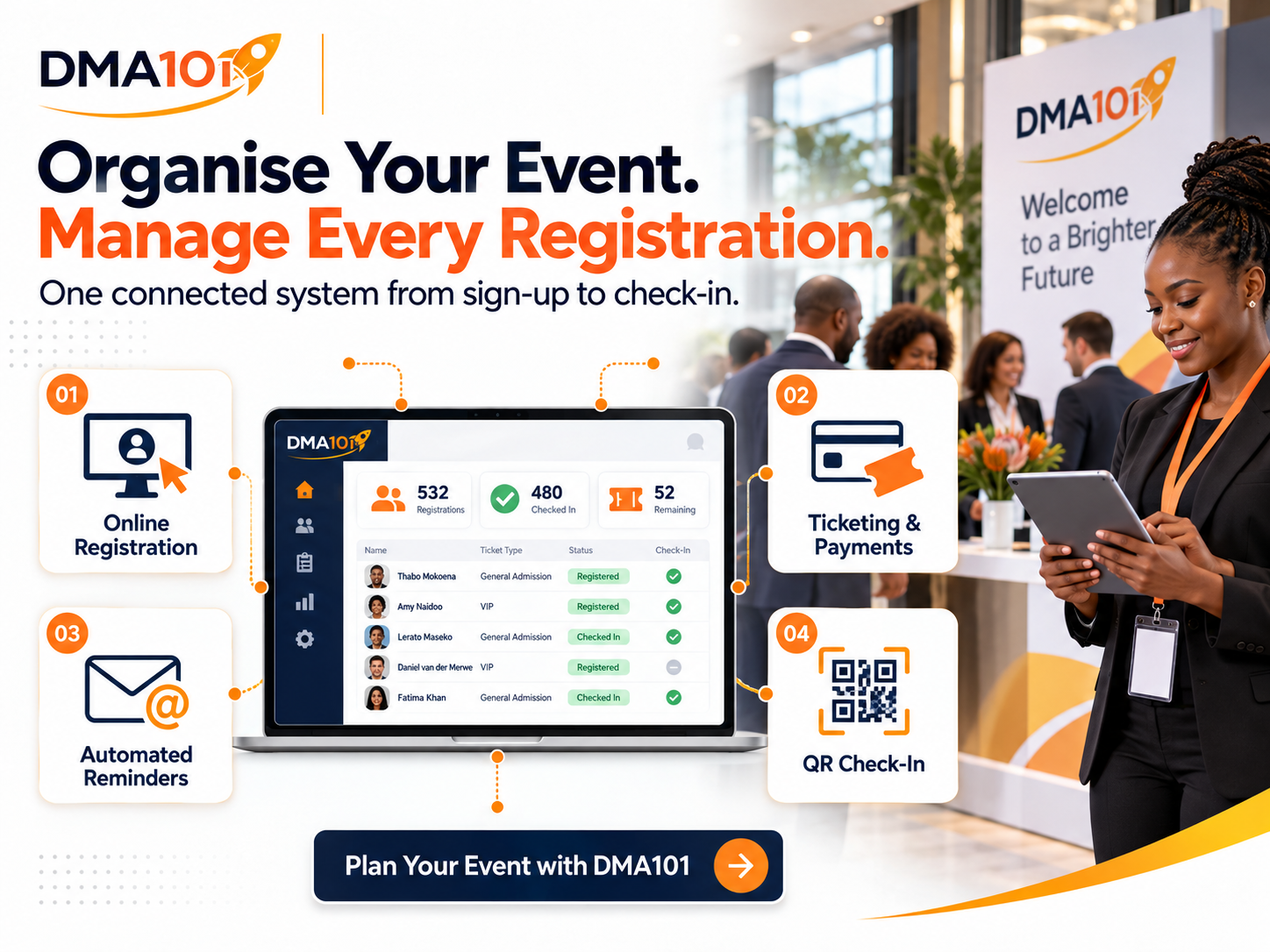
Organising an event can become overwhelming surprisingly quickly.
At first, you may only need to keep track of a few names and payments. Then the messages start arriving from different places. One person registers through a form, another sends proof of payment on WhatsApp, someone else comments on Facebook, and several people say they are coming without officially confirming.
Before long, attendee names are spread across spreadsheets, emails, WhatsApp conversations and handwritten notes.
This creates unnecessary pressure for organisers. It can lead to missed registrations, incorrect attendee details, payment confusion and long queues at the entrance.
A professional event needs more than a registration form. It needs a connected system that manages the complete attendee journey, from the first registration to the final follow-up.
Quick answer
An effective event registration system normally includes:
- A clear, mobile-friendly event page
- RSVP or ticketed registration with payment processing
- Immediate confirmation emails with QR codes
- Automated reminder sequences to reduce no-shows
- One central attendee list with payment and status tracking
- QR-code check-in at the venue
- Structured post-event follow-up connected to your CRM
No single step guarantees a perfect event. Results depend on how consistently the complete system is managed.
Why Event Registrations Become Difficult to Manage
The problem is rarely the number of attendees alone. The real problem is that registration information is collected and managed in too many different places.
An organiser may use one platform to advertise the event, another to collect registrations, a spreadsheet to track attendees and a separate payment method for ticket sales. Email and WhatsApp are then used to send reminders manually.
Every additional tool creates another place where information can be missed or entered incorrectly.
Common registration problems include:
- People submitting incomplete information
- Payments that can't easily be matched to attendees
- Duplicate registrations
- Attendees buying tickets for other people without providing their details
- Organisers not knowing how many spaces remain
- Important messages being sent too late
- Staff working from outdated attendee lists
- Slow manual check-in at the venue
- No clear record of who attended
- No structured follow-up after the event
These problems can affect events of any size. A training workshop with 30 attendees can become just as difficult to manage as a conference with hundreds of guests if there isn't a clear system.
Start With the Right Type of Registration
Before creating the registration page, decide how people will attend your event. The registration process should match the type of event you are organising.
Free RSVP events
An RSVP system is suitable when people can attend without purchasing a ticket. It allows guests to confirm their attendance and provide the information you need.
Works well for church events, community meetings, networking sessions, school information evenings, open days, internal company events, free webinars, and NGO awareness events.
Ticketed events
A ticketed event allows the organiser to offer free or paid tickets with controlled quantities.
Works well for conferences, workshops, training programmes, business seminars, product launches, fundraising events, paid webinars, coaching events, and corporate functions.
Different ticket options can be created for general admission, VIP access, early-bird offers, group bookings or sponsored attendees. The number of available tickets and the period during which they can be purchased should be set before registration opens.
Create One Central Event Page
A professional event page gives potential attendees one reliable place to find the information they need. Instead of answering the same questions repeatedly, the organiser can direct everyone to a single page.
A good event page should include:
The page should also work properly on mobile phones. Many South Africans will first discover and register for an event through their phones, especially after seeing a Facebook post, WhatsApp message or online advertisement. A slow or confusing mobile registration process can cause potential attendees to leave before completing their registration.
Collect the Right Attendee Information
Every registration form should collect enough information to manage the event properly, but it shouldn't feel like an interrogation.
At minimum, collect:
- First name
- Last name
- Email address
- Mobile number
Depending on the event, you may also need:
Only ask for information that serves a clear purpose. Long forms create unnecessary friction and may reduce the number of completed registrations. You should also explain how attendee information will be used and protect it in line with applicable privacy requirements.
Manage Group Registrations Properly
Group bookings are common for conferences, training programmes and corporate events. One person may buy several tickets on behalf of a company or team. If the system only captures the buyer's details, the organiser won't know who the other attendees are.
A better process collects separate information for every person included in the booking. Each attendee can then have an individual registration record, their own confirmation, their own ticket, their own QR code, event-specific information, and an accurate check-in record.
This makes it easier to prepare name badges, manage dietary requirements, send updates and identify every attendee at the venue.
Keep Registrations and Payments Together
Paid events become difficult to manage when payment information is separated from registration information. A connected event management system allows attendees to choose their tickets, enter their details and complete payment through the same registration process.
The organiser can then see:
- Who registered
- Which ticket they selected
- How many tickets were purchased
- Whether payment was successful
- How much revenue the event generated
- Whether a registration was refunded
- How many tickets remain available
This removes the need to compare registration forms with bank statements or search through WhatsApp messages for proof of payment. Discount codes can also be used for early-bird promotions, partners, sponsors, VIP guests or selected ticket categories.
Confirm Every Registration Immediately
Once someone registers, they shouldn't have to wonder whether the registration was successful. An immediate confirmation message reassures the attendee and gives them a record of the event details.
The confirmation should include:
For online events, access links can be managed so they only become available at the appropriate time. This helps protect private meeting links and reduces confusion before the event.
Use Automated Reminders to Reduce No-Shows
Registration doesn't guarantee attendance. People become busy, forget the date or lose the original confirmation message. A carefully planned reminder sequence helps keep the event visible without overwhelming attendees.
A practical sequence may include:
- A confirmation immediately after registration
- A reminder seven days before the event
- A second reminder three days before
- Final instructions one day before
- A short reminder a few hours before the event
Messages can be adjusted according to the attendee's ticket type. VIP ticket holders may need different arrival instructions, while online attendees need access information. Automated reminders save the organiser from sending hundreds of individual messages and ensure that communication goes out at the correct time.
Maintain One Accurate Attendee List
A central attendee list gives organisers a reliable view of the event. Instead of combining several spreadsheets, the team can work from one current record.
The organiser should be able to:
Manual attendee additions are particularly useful for speakers, sponsors, invited guests and people who register offline.
Make Event Check-In Fast and Professional
The entrance is one of the first physical experiences attendees have with your event. Long queues and printed lists can make an otherwise professional event feel disorganised.
With QR-code check-in, each registered attendee receives an individual digital ticket. Staff scan the code using a mobile device and the person is checked in immediately.
A well-designed check-in process can:
- Reduce entrance queues
- Prevent duplicate ticket use
- Identify tickets issued for the wrong event
- Confirm the attendee's payment status
- Record attendance in real time
- Give organisers an accurate final attendance list
If an attendee can't find their ticket or the QR code doesn't scan, staff should still be able to search for the person and check them in manually. Digital tickets can also be saved to supported mobile wallets, making them easier for attendees to access at the venue.
Use Attendance Information After the Event
The value of registration information doesn't end when the event finishes. Knowing who registered and who attended allows the organiser to communicate more effectively after the event.
Attendees can receive:
People who registered but didn't attend may need a different message. They could receive a recording, event summary or invitation to a future session. This is more effective than sending the same generic message to everyone.
Turn Attendees Into Long-Term Relationships
An event can generate more than ticket sales. It can introduce people to your organisation, build trust, create leads and strengthen existing relationships. However, this opportunity is lost when attendee details remain in a spreadsheet that's never used again.
Connecting event registrations to a customer relationship management system allows organisers to keep a structured contact history, add attendees to relevant categories, record the events they attended, create follow-up tasks, identify potential clients or partners, move qualified contacts into a sales process, invite the right people to future events, and measure long-term engagement.
For churches, NGOs and community organisations, this can support member communication and future outreach. For companies, trainers and consultants, it can turn event interest into genuine business opportunities.
A Simple Event Registration Workflow
A professional event registration process can follow these steps:
- 1A visitor opens the event page.
- 2They select an RSVP or ticket option.
- 3They enter the required attendee information.
- 4They complete payment if the event is paid.
- 5Their registration is recorded in the central system.
- 6They receive an immediate confirmation.
- 7Automated reminders are sent before the event.
- 8Their ticket is scanned or checked manually at the venue.
- 9Their attendance is recorded.
- 10They receive relevant follow-up communication after the event.
This gives both the organiser and the attendee a clear, consistent experience.
Final Event Registration Checklist
Before opening registrations, confirm that:
- The event type has been selected correctly
- The date, time and timezone are accurate
- The venue or online access details are correct
- Ticket quantities and prices have been checked
- Ticket sale dates have been configured
- The total event capacity has been set
- Registration questions are necessary and clear
- The payment process has been tested
- Confirmation messages contain the right information
- Reminder messages have been scheduled
- The event page has been tested on a mobile phone
- QR-code check-in has been tested
- Staff understand the manual check-in process
- Post-event communication is ready
Test the complete registration process before sharing the event publicly. Register as an attendee, complete a test payment where applicable and review every message received. Small mistakes are far easier to correct before registrations begin.
Build a Better Event Experience With DMA101
You shouldn't have to manage registrations across spreadsheets, emails, WhatsApp messages and handwritten lists. DMA101 can set up a professional Event Management System that brings your event page, RSVP management, ticket sales, online payments, attendee communication, QR-code check-in and post-event follow-up into one connected process.
Whether you are organising a conference, training programme, church event, fundraiser, product launch, networking session or corporate event, we can build a system around your requirements.
Spend less time chasing registrations and more time creating an event people will remember.
Plan Your Event With DMA101
Stop managing events from a patchwork of spreadsheets, forms, and chat threads. We will set up your complete events system so attendees have a professional experience and you have full visibility from registration to revenue.
Start the Fit Check
Written by Digital Marketing Agency 101
Founder & Digital Growth Strategist at DMA101. Helping ambitious businesses build complete digital growth systems that convert.
Read more about our methodology →Have thoughts on this?
We'd love to hear your perspective. Join the conversation on LinkedIn or reach out directly.
Keep Reading
What Information Should You Collect on an Event Registration Form?
Learn exactly what information to collect on an event registration form, from essential contact details to dietary, accessibility and consent fields, without overwhelming attendees.
Read Article Events ManagementHow to Follow Up With Attendees After an Event
Learn how to follow up with attendees after an event, send thank-you messages, collect feedback, share resources and nurture leads with one connected system.
Read ArticleHow We Can Help
Basic Website Design (1-5 Pages)
Perfect for local businesses needing a clear, professional online presence. Includes home, about, services, and contact pages.
Explore ServicePremium Website Design (5-10 Pages)
Ideal for growing businesses. Includes advanced layouts, lead capture forms, service detail pages, and basic SEO.
Explore ServiceCorporate Website Design (10-25 Pages)
Comprehensive site for established companies. Includes custom integrations, advanced SEO, team directories, and resource centers.
Explore ServiceGet Growth Strategies in Your Inbox
Join other ambitious business owners receiving our best insights on websites, automation, and lead generation.
We respect your privacy. Unsubscribe at any time.
Ready to implement these strategies?
Partner with DMA101 to elevate your brand and build a premium digital presence.
Start the 60-Second Fit Check