

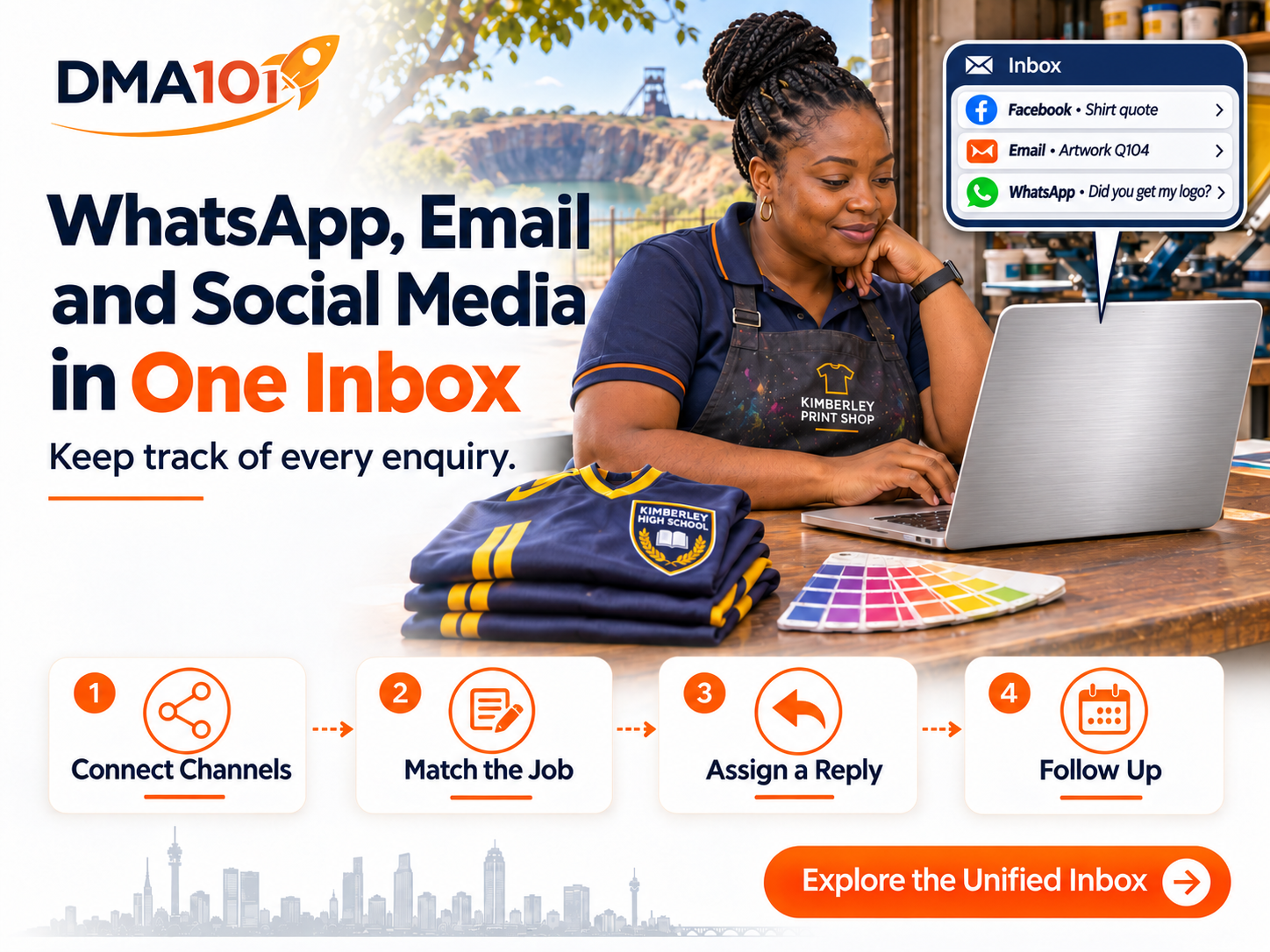
"Did you get my logo?"
It is a simple WhatsApp message. At a busy print shop in Kimberley, it can take three people to answer.
Yesterday, the customer asked on Facebook whether the shop could print 40 shirts for a school sports day. This morning, she emailed the artwork from the school office. Now she is following up from her cellphone. The person holding the phone can see six words. The person who knows what they mean is out making a delivery.
From the customer's side, it is one order. From the shop's side, it is a Facebook conversation, an email attachment and a WhatsApp from a number nobody has saved yet. By the time someone pieces it together, the customer has explained the job twice and still doesn't know what it will cost.
A unified inbox gives your team one place to work on enquiries from connected channels. Its value becomes clear in that moment. Can the person answering the WhatsApp find the right job, give the customer an accurate answer and make sure someone sends the quote they promised?
What Comes Into a Unified Inbox?
With the relevant business accounts connected, a team can manage supported messages from WhatsApp, email, Facebook Messenger and Instagram direct messages in one workspace. Staff can review conversations they have permission to see, use internal comments to share context and take responsibility for a reply. Customers can keep using the channel that suits them.
There are three details worth checking before you rely on that setup.
One more distinction matters. Seeing several channels in one place and knowing that two messages belong to the same customer are different jobs. A phone number, a social profile and a school email address can give you three different clues. Someone still has to check that they refer to the same enquiry.
How One Print Order Should Move Through the Inbox
Let us go back to the 40 shirts. Here is how the shop could handle the order from first question to quote.
Quick answer
A unified inbox helps a small team handle multi-channel enquiries by:
- Giving the first enquiry a reference the customer can use
- Matching the job before combining customer records
- Answering the question the customer actually asked
- Giving one person responsibility for the promise
The goal is one clear answer for the customer, even when the conversation moves between channels.
1. Give the First Enquiry a Reference the Customer Can Use
When Naledi answers the Facebook message, she asks for the shirt quantity, print position and date the order is needed. She assigns a short reference, Q104, and gives the customer a specific instruction.
"Thanks, Thandi. Please email the logo with Q104 in the subject line. I have noted 40 shirts with a front print. Once I have checked the artwork, I will let you know if we need anything else for the quote."
Naledi
That small detail does a surprising amount of work. Thandi can send the logo from the school office without having to match the name on her Facebook profile. Whoever opens the email can search for Q104. If the school orders another batch next term, the team can give that job its own reference.
2. Match the Job Before Combining Customer Records
Suppose the artwork arrives from the school's general office address. The subject contains Q104, and the email mentions the same shirt quantity. That gives Naledi a good reason to associate the artwork with the job. It doesn't establish that the school mailbox belongs exclusively to Thandi. Next week, the bursar might use that same address for an unrelated order.
For a small team, a shared job reference or an internal note is often enough. If you do decide that two contact records belong to the same person, review the phone numbers, email addresses and previous conversations first. Contact merges in the system used for this workflow are permanent. A quick check now saves an awkward conversation later, especially when quotes or artwork belong to different customers.
3. Answer the Question the Customer Actually Asked
When Thandi sends "Did you get my logo?", Naledi can check the actual attachment before replying. There is a meaningful difference between seeing an email arrive and confirming that the file opens and is suitable for printing.
"Hi Thandi, it is Naledi. I have received the logo for Q104 and the file opens clearly. Our print team is checking whether it will stay sharp at the size you want. I will update you by 2 this afternoon."
That reply gives Thandi something useful. She knows the file arrived, what the shop is checking and when she will hear back. If the team hasn't had a chance to open the attachment, Naledi can say exactly that. Customers can plan around an honest update.
4. Give One Person Responsibility for the Promise
The designer may need to check the logo and the owner may need to approve the price. Thandi still needs one person she can come back to. Naledi can leave a private team note such as "Please check the crest at 80 mm wide. I have promised Thandi an update by 2 pm. I will send the reply."
Use an internal comment for that handover and check the reply channel before sending anything to the customer. Keep a reminder against the promised time. A message marked "read" tells you someone opened it. The quote can still be waiting on a desk.
If the designer hasn't finished by two, Naledi can give Thandi a revised time. If the quote is ready, she can email the formal document to the address the customer requested and use WhatsApp to confirm it has been sent. There is little value in copying the full quote into every channel when one clear reply will do.
What Happens When the Customer Messages After Hours?
Suppose Thandi asks on WhatsApp late on Friday whether she can add ten more shirts. An after-hours acknowledgement can give the shop's actual opening time and tell her who will check the order. It should leave the quantity and price open until someone confirms both.
There is also a practical rule for businesses using the WhatsApp Business Platform. A customer's incoming WhatsApp message opens or refreshes a 24-hour customer service window. During that window, the business can send a free-form reply. Once it closes, the business generally needs an appropriate approved message template to contact the customer again on WhatsApp. A Friday evening enquiry may therefore need different handling when your team returns on Monday.
Set up your after-hours process around what the team can actually deliver. If the customer asked for a formal quote by email, make sure the person on Monday morning knows that. If they expect a WhatsApp update, check that the available reply option fits the enquiry. An automatic acknowledgement is useful, but somebody still needs to check whether those extra shirts can be printed in time.
A Simple Inbox Routine for a Small Team
Start with three checks that fit into the working day.
At opening, check who is waiting
Review new and unassigned enquiries, including anything that came in overnight. Give each one an owner. If a channel failed your connection test, assign someone to check it directly until the issue is fixed.
During the day, record the next action
"Waiting for artwork from customer" and "Customer waiting for our quote" need different treatment. Use plain labels your team understands, and record a due time whenever someone has made a promise.
Before closing, check what you owe customers
Look for quotes, callbacks and updates due today, including conversations someone has already read. If a colleague is taking over tomorrow, leave enough detail for them to pick up the job without asking the customer to start again.
After a week, review a handful of real enquiries. How many customers had to chase an answer? How many promised updates went out on time? When you measure response time, distinguish an automated acknowledgement from the first reply that actually answered the question. A fast greeting and a late quote can happen in the same conversation.
Does Your Business Need a Unified Inbox?
If you work alone, handle a few enquiries a week and can quickly find every quote you have promised, your current setup may serve you well. A shared inbox becomes more useful when two people regularly answer the same customer, staff forward screenshots to explain a job, or customers keep saying, "I already sent that to someone else."
Try a quick test. Pick one enquiry from last week that moved between channels. Ask the colleague covering your inbox to find what the customer requested, what your business promised and who owns the next step. If they have to call someone on their day off to find out, you have found a specific problem worth fixing.
Bring Your Tangled Conversations to DMA101
At DMA101, we help South African businesses connect their customer messaging channels and set up a practical way to handle enquiries. Bring us one conversation that got tangled between WhatsApp, email or social media. We can use it to work out which channels to connect, what your team needs to see and who should take the next step.
Talk to DMA101 about the enquiries getting lost between channels, and let us help you give every customer one clear answer.
Stop Losing Enquiries Between Channels
When a customer's conversation moves from Facebook to email to WhatsApp, your team should still be able to find the job, give an accurate answer and follow up on the quote. Let us connect your channels into one manageable inbox.
Talk to DMA101
Written by Digital Marketing Agency 101
Founder & Digital Growth Strategist at DMA101. Helping ambitious businesses build complete digital growth systems that convert.
Read more about our methodology →Have thoughts on this?
We'd love to hear your perspective. Join the conversation on LinkedIn or reach out directly.
Keep Reading
How Much Does Website Maintenance Cost in South Africa? A Small Business Guide
Your hosting is paid and your website opens. But are booking enquiries reaching the right person? Here's what website maintenance can cover and how to compare the cost.
Read Article BrandingWhat Should a Brand Identity Package Include? A South African Small Business Guide
A signwriter, a packaging supplier and a WhatsApp profile each need something different from your logo. Here's how to choose a brand identity package that works for all three.
Read ArticleHow We Can Help
Events Management System
Ticketing, RSVP, QR check-in, payment processing, automated reminders, and CRM integration for professional events of any size.
Explore ServiceBasic Website Design (1-5 Pages)
Perfect for local businesses needing a clear, professional online presence. Includes home, about, services, and contact pages.
Explore ServicePremium Website Design (5-10 Pages)
Ideal for growing businesses. Includes advanced layouts, lead capture forms, service detail pages, and basic SEO.
Explore ServiceGet Growth Strategies in Your Inbox
Join other ambitious business owners receiving our best insights on websites, automation, and lead generation.
We respect your privacy. Unsubscribe at any time.
Ready to implement these strategies?
Partner with DMA101 to elevate your brand and build a premium digital presence.
Start the 60-Second Fit Check